

A Linktree alternative that plans
Linktree turns your bio into a list of links. BrandDad turns it into a page, schedules your posts for seven networks and shows you which post actually brought the clicks.
- Free plan with all 18 templates, desktop layouts and link scheduling
- Social scheduler and post attribution in the same account
- Founder for €10/month plus VAT, hosted in Germany
BrandDad is a Linktree alternative hosted in Germany that combines a link-in-bio page, a social media scheduler and post attribution. The page is free; Founder costs €10 per month plus VAT for the first 100 customers. Linktree Pro is listed at €15 per month on monthly billing (as of 22 Oct 2026). Even BrandDad Free includes link scheduling, SEO fields, your own background image, clicks per link and a real desktop view – according to its pricing page, Linktree offers the first four only from Starter or Pro and no desktop view at all.
What you get on top with BrandDad


A scheduler, not a second subscription
With BrandDad you schedule posts for Instagram, TikTok, YouTube, LinkedIn, Facebook, Threads and Bluesky in the same account that holds your link-in-bio page. From Founder you get eight channels with unlimited scheduled posts.


Clicks per post
Every scheduled post automatically gets its own link to your page. So you don't just see how often people clicked, you see which post sent them.


Built for Germany and the EU
Servers in Germany, analytics without tracking cookies, an imprint and a privacy page to fill in, and a visible ad label for sponsored links are part of every plan.
Linktree and BrandDad: prices compared
| BrandDad | Linktree | |
|---|---|---|
| Free page | Yes, with a small badge | Yes, Free plan |
| Cheapest paid plan | Founder €10 (first 100), then Creator €19, plus VAT | Starter €6.75 monthly, €5.25 yearly |
| Middle plan | Creator €19 plus VAT | Pro €15 monthly, €12 yearly |
| Largest plan | Pro €29 plus VAT | Premium €32 monthly, €27.50 yearly |
| Social media scheduling | From Founder, 8 channels | In the Premium plan |
| Platform fee on sales | 0 % (no selling feature yet) | 0 % from the Pro plan |
| Post attribution (post → click) | From Founder | No |
As of 22 Oct 2026, prices as listed on the vendor's website (linktr.ee/s/pricing, shown for Germany in EUR). The Linktree page does not state whether prices include VAT. BrandDad prices plus VAT, cancel monthly. Vendors may change their plans – please check before you switch.
Free vs. free: BrandDad and Linktree
| BrandDad Free | Linktree Free | |
|---|---|---|
| Templates and looks | All 18 templates, all looks | Free themes, advanced themes from Pro |
| Button shapes and font pairings | All | Basic choice, advanced styles from Pro |
| Header layouts | Centred, left, with cover image | Classic and Hero, more from Pro |
| Background | Gradient, pattern or 1 image of your own | Colour, your own image from Pro |
| Grid and bento layouts | Yes | Grid layouts from Starter |
| Desktop view | 3 layouts: centred, profile left, bento grid | Phone column in the middle |
| Animated and spotlight links | Yes | From Starter |
| Link scheduling (visible from/until) | Yes | From Starter |
| SEO fields | Title, description, preview image | From Pro |
| Statistics | 30 days, clicks per link with source and device | 28 days of totals; clicks per link from Starter, source and device from Pro |
| Custom QR code | Colours, shape, initials in the middle | From Starter |
| Remove branding | From Founder, €10 plus VAT | From Pro |
| Video background | From Founder | From Pro |
As of 22 Oct 2026. Linktree according to the official comparison table on linktr.ee/s/pricing and Linktree's help articles; we checked the desktop view ourselves in the browser. Linktree Starter costs €6.75 and Pro €15 per month on monthly billing there. In return, Linktree Free offers many embeds and forms. Vendors may change their plans – please check before you switch. BrandDad prices plus VAT.
What BrandDad does differently
A page, not just a list
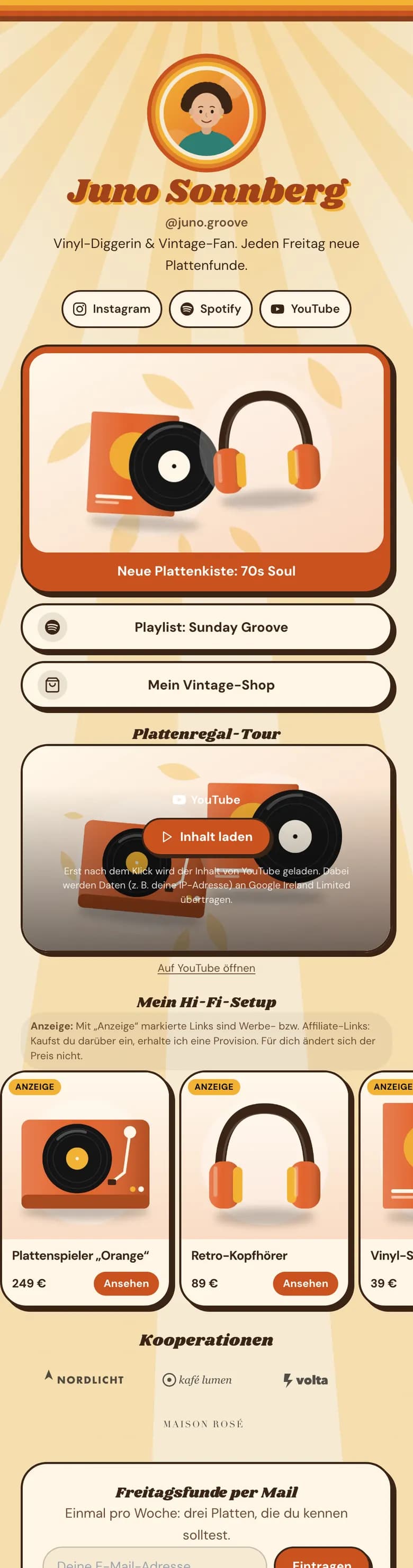
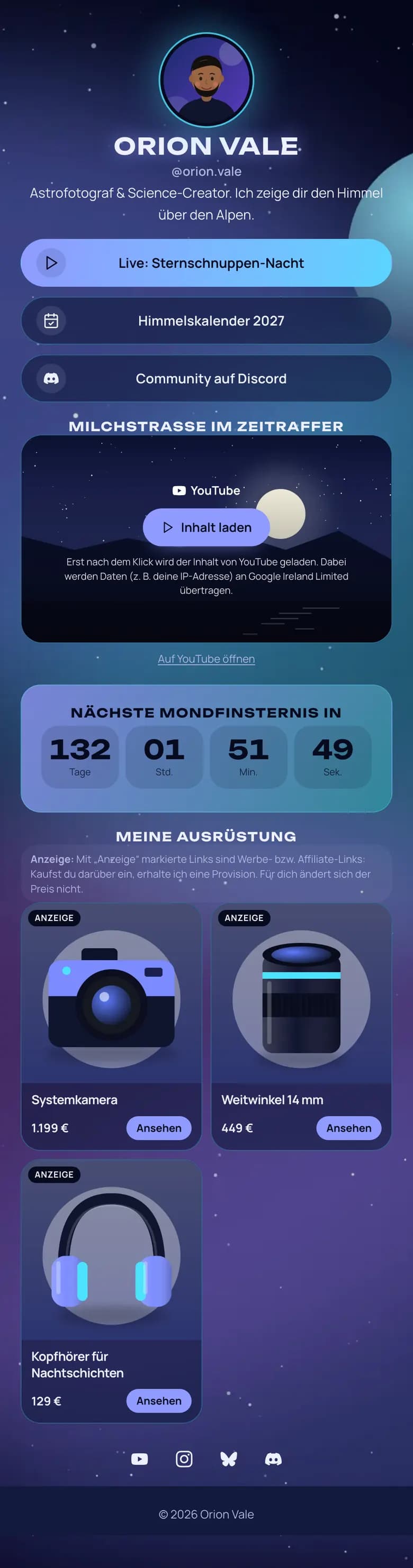
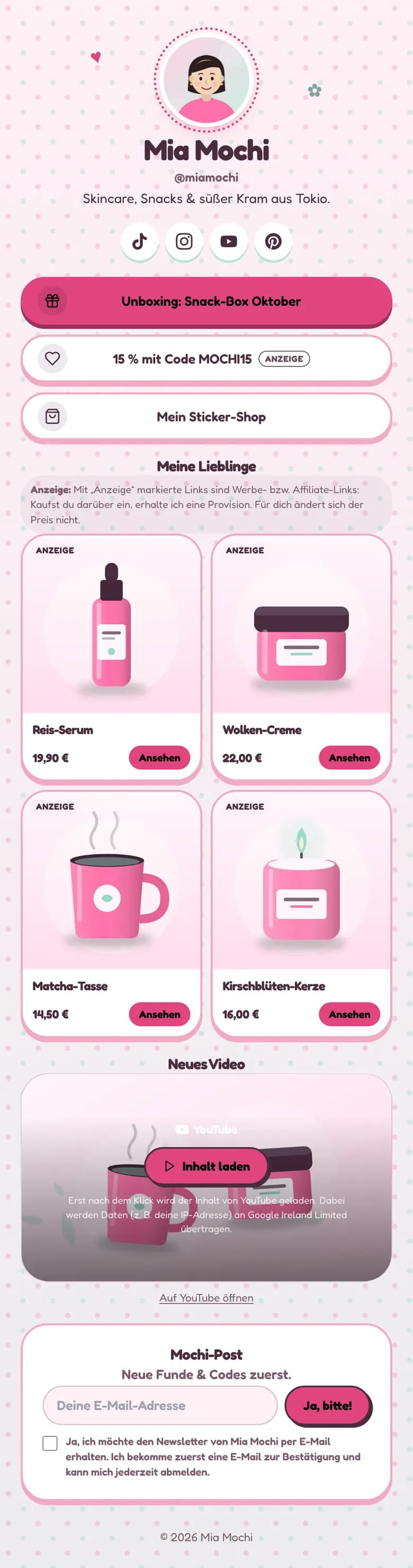
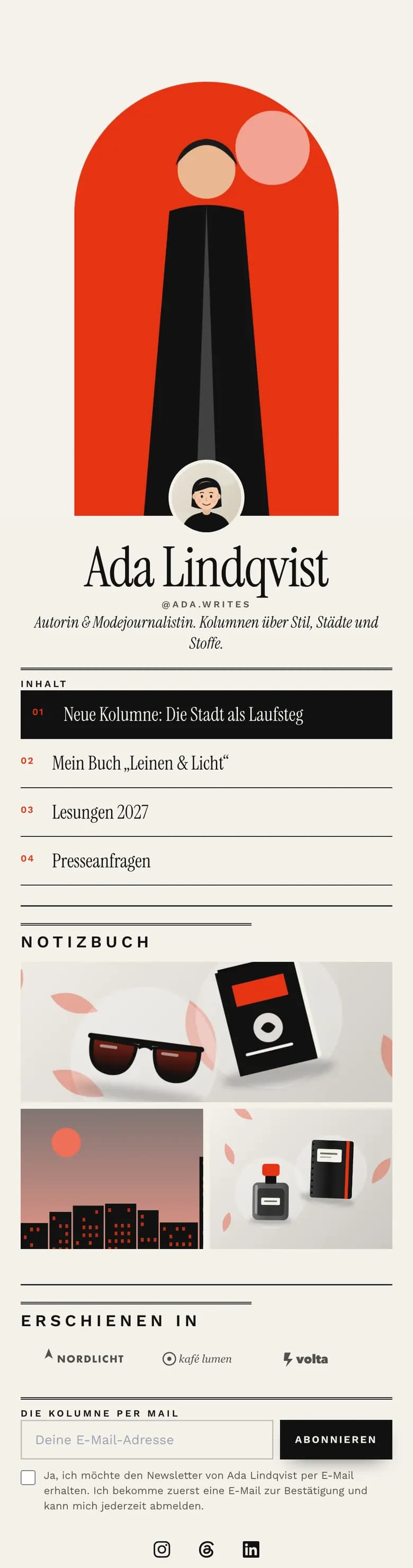
Besides links, your page can hold YouTube, TikTok and Spotify embeds, a sign-up block for your email list and a contact form. Plus all 18 templates and grid or bento layouts, on the Free plan too.
A real page on desktop
On a laptop, Linktree shows your phone column on a grey background. With BrandDad you pick one of three desktop layouts: centred, profile on the left with content on the right, or a bento grid with S, M, L and wide tiles. Product cards appear large there. This is included on the Free plan too.
Plan where your link lives
Write a post once and publish it to several channels. The queue fills fixed time slots, the scheduler suggests good times and can add the first comment for you.
Know which post works
The dashboard shows clicks and inquiries per post, for example (example data) Reel from 12 Oct: 140 clicks, 3 inquiries. So you make more of what works.
Legal pages in their place
Your page has an imprint and a privacy page that you fill in with your own details. BrandDad provides the fields and structure, not legal advice.
When is Linktree the better fit?
Linktree is well known and simple. If you only need a quick list of links without a scheduler, and a very large choice of integrations matters to you, Linktree is an obvious choice. If you already sell through Linktree and use its features there, you also have a good reason to stay, because BrandDad does not have a built-in selling feature yet.
BrandDad makes sense when you want your link in bio and your social scheduling together. Many creators combine two subscriptions today: Linktree Pro for €15 per month and Buffer Essentials for three channels for $18 per month. Together that is about €30 per month (as of 22 Oct 2026, monthly billing, prices as listed on the vendors' websites). BrandDad Founder costs €10 per month plus VAT and includes the page, a scheduler for eight channels, AI captions and post attribution.
The second point is attribution. A list of links shows you clicks per link. BrandDad attaches its own link to every scheduled post and shows you which post brought the clicks and inquiries. That helps when you decide whether to make more reels, carousels or stories.
Finally, location: BrandDad runs on servers in Germany, counts visits without tracking cookies and gives you fields for an imprint and a privacy policy. You can start for free and run both pages side by side until you swap the link in your bio.
From Linktree to BrandDad in three steps
Claim your name
Type the name you want. If branddad.io/@yourname is free, it is yours after sign-up – free and without a credit card.
Move your links
Pick a template and add your links, social profiles and bio. Your Linktree page keeps running in the meantime.
Swap your bio link
Replace the link in your Instagram, TikTok or YouTube bio. From then on BrandDad counts every click, without cookies and without a banner for your visitors.
Try it while your Linktree page keeps running
Start freeFree forever plan · no credit card · live in 60 secondsFrequently asked questions
Is BrandDad a free Linktree alternative?
Yes. The Free plan includes one link-in-bio page with a small "Made with BrandDad" badge, all 18 templates, desktop layouts, link scheduling, SEO fields, 30 days of analytics with clicks per link, 100 email contacts and five AI posts per month. It has no time limit and you don't need a credit card. The first 100 free users also get one social channel with ten posts per month.
What does BrandDad Free offer that Linktree Free doesn't?
According to Linktree's pricing page (as of 22 Oct 2026), animated links, link scheduling, grid layouts and a custom QR code start at Starter there, and SEO fields, your own background image and advanced buttons and fonts start at Pro. With BrandDad they are on the Free plan. You also get a real desktop view with three layouts. Removing the badge, your own domain, video backgrounds and AI images cost extra from Founder.
How does BrandDad's price compare to Linktree Pro?
According to its website, Linktree Pro costs €15 per month on monthly billing and €12 per month on yearly billing (as of 22 Oct 2026). BrandDad Founder costs €10 per month plus VAT for as long as your subscription runs, for the first 100 customers. After that, the same plan is called Creator and costs €19 plus VAT.
Can I move my links over from Linktree?
You add your links in BrandDad and then swap the link in your bio. There is no automatic import at the moment. Your Linktree page keeps running in the meantime, so nobody lands on a dead link. For most pages, moving the links over takes only a few minutes.
Does BrandDad charge fees on sales?
BrandDad charges a 0 % platform fee. There is no built-in selling feature yet, so you link to your shop, course platform or booking tool. What you earn there stays between you and that provider. You only pay us for your plan, monthly and cancellable at any time.
Do I need an imprint on my link-in-bio page?
If you post commercially in Germany, for example with ads, affiliate links or your own offers, you usually need an imprint (Impressum). BrandDad gives you an imprint and a privacy page with fields to fill in. We don't give legal advice – if in doubt, have your details checked by a professional.
Which networks can I schedule with BrandDad?
Instagram, TikTok, YouTube, LinkedIn, Facebook, Threads and Bluesky. X (Twitter) is available as an add-on for €4 per month plus VAT with 300 posts, 15 of them with a link. Pinterest is in preparation. From Founder you connect up to eight channels, with Pro up to 15.
Related features
Link in bio
Free link in bio page for creators: links, embeds, email list, imprint page and cookieless stats, plus a scheduler that shows which post brings clicks.
Learn moreBuffer alternative
Buffer alternative for creators: schedule 7 networks, link-in-bio page included, clicks per post. Founder €10/month plus VAT, not per channel.
Learn morePricing
Free link-in-bio page, social scheduler from €10/month plus VAT for the first 100 founders. Cancel monthly with one button, servers in Germany.
Learn moreClaim your name before someone else does
Free page, no credit card, live in about a minute – your Linktree page can keep running meanwhile.
Free forever plan · no credit card · live in 60 seconds